Notes become tasks
Write down something you need to do. Reloggly recognizes the action, turns it into a task, and groups it by topic. Mark it done when you finish.
“Buy filters for the coffee machine” → a task

A searchable inbox for whatever crosses your mind. Drop in a thought, voice note, screenshot or photo exactly as it comes. No titles, folders or cleanup. Find it later with whatever you remember.
In the daycare hallway, you photograph a notice: white shirt for the event on the 14th. Share it to Reloggly — no title, folder or cleanup.
It lands in one searchable inbox. Reloggly reads the photo in the background; you close the app and get on with your day.
Search “What does my kid need for the daycare event?” The unnamed photo comes back, even though you never typed those exact words.
Screenshot, share to Reloggly, done. The place is still there months later when you finally have an evening free.
Take one photo in the hallway. No retyping the dates, and no digging through the camera roll when March comes.
Drop in the time, the address, and the documents to bring. Pull it all back up before you walk out the door.
Say it out loud while you walk or drive. Reloggly transcribes it, so the idea is searchable when you're back at a desk.
Drop it in and it becomes a task by itself. Add “remind me Friday at 10” and it comes back at the right time.
The parking level, hotel room, or door you came through. Save it now, find it tonight, and stop giving it space in your head.
Photograph the filter, cable, paint code, or light bulb. Months later, search for the thing that needs replacing.
Search by meaning across text, voice transcripts, and photos. The unnamed detail still turns up without opening a chat.
Ask “What did I get done this week?” The chat reads across forty scattered notes and turns them into the update you owe on Monday.
Capture a note. Turn it into action. Get an answer.
Your notes, tasks, reminders, and AI chat work together.
Write down something you need to do. Reloggly recognizes the action, turns it into a task, and groups it by topic. Mark it done when you finish.
Include a date or time in a note or task. Reloggly picks it up and sends a push reminder, so plans and deadlines come back when they matter.
Ask about your saved notes and tasks, pull together a summary, or talk through an idea. You can also ask general questions, even when they have nothing to do with your inbox.
Record a thought instead of typing. Your audio is transcribed automatically, so you can find the words later and use them in a conversation with the AI.
Save a photo or screenshot alongside your notes. Reloggly processes its contents so the details are searchable, without retyping what is in the image.
Search across notes, voice transcripts, and photos using whatever you remember. You do not need the exact wording, a folder name, or a carefully chosen tag.
Start with text, audio, or a photo. Keep adding to the same inbox — no folders to set up before you begin.
Get RelogglyFolders, tags, a vault to maintain — they all ask you to make a filing decision at the exact moment you have the least time. So the awkward things never get saved at all, and the rest lands in a camera roll you will never dig through.
Everything lands in one place, in whatever form it arrived. Transcripts, tags, links, and tasks are worked out in the background. The organizing happens when you go looking — the only moment it was ever useful.
"A job, a family, a side project, a hobby and a gym membership — all at once. Everything that used to slip through now has somewhere to land."
From saving to deletion, here is how Reloggly protects your personal inbox.
Your data travels over encrypted TLS connections. Photos and audio are kept in encrypted object storage; text notes and chats are stored in our database.
Your content is separated by account. Ownership is checked before access to attachments is granted, and download links expire. Passwords are stored as salted hashes.
Automatic daily backups cover the database and stored media, helping us restore data after infrastructure failures or accidental loss.
Delete your account in Settings to remove your account, notes, photos, audio, chats and derived data. Deletion is permanent. Residual copies in encrypted backups expire within 30 days.
Open Reloggly in your browser, or get the app for iOS and Android.
Practical guides for capturing, finding, and using the thoughts that matter.
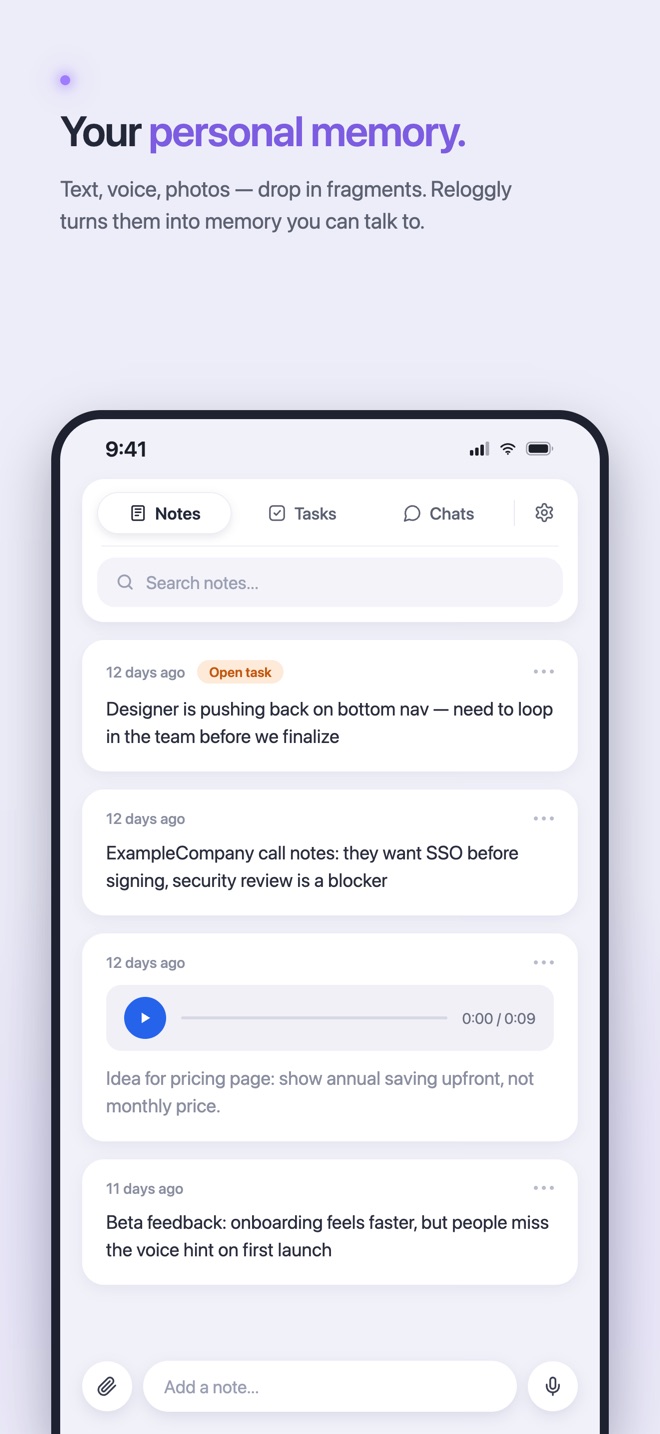
How your own notes, voice, and photos become useful context you can retrieve later.
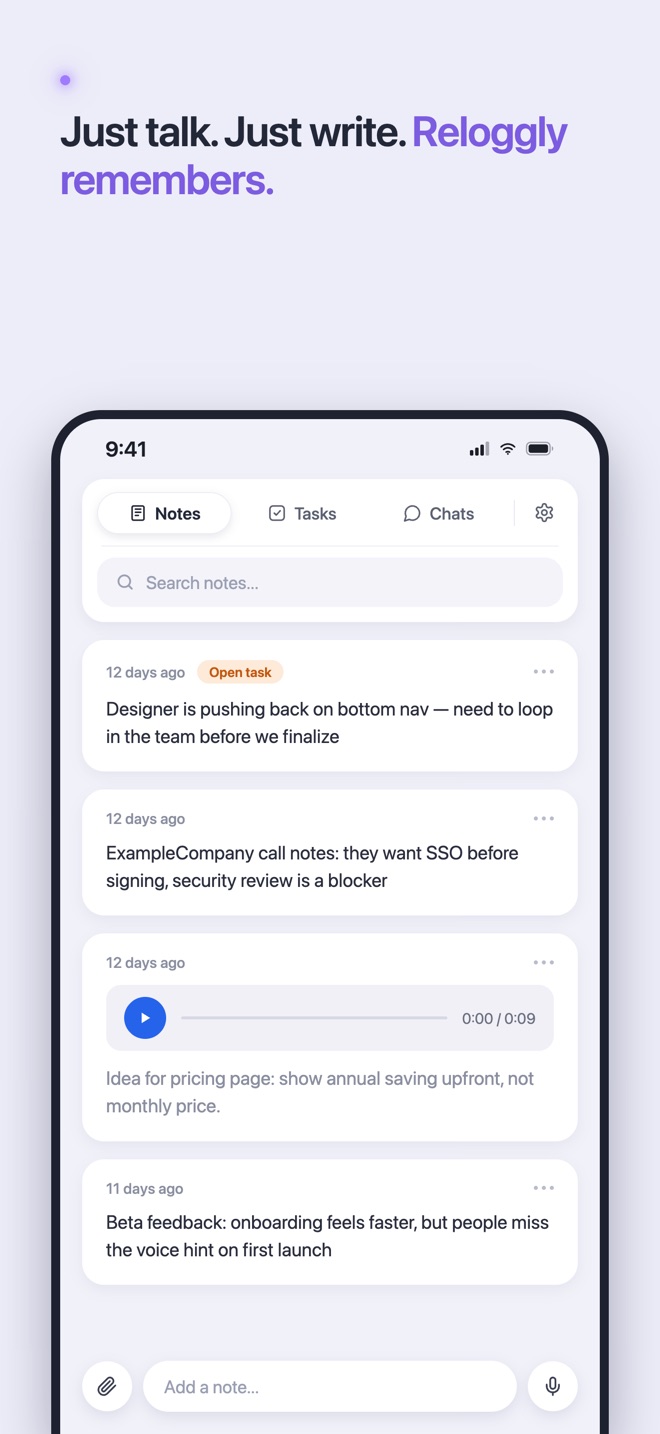
A lighter approach: save first, find it later.
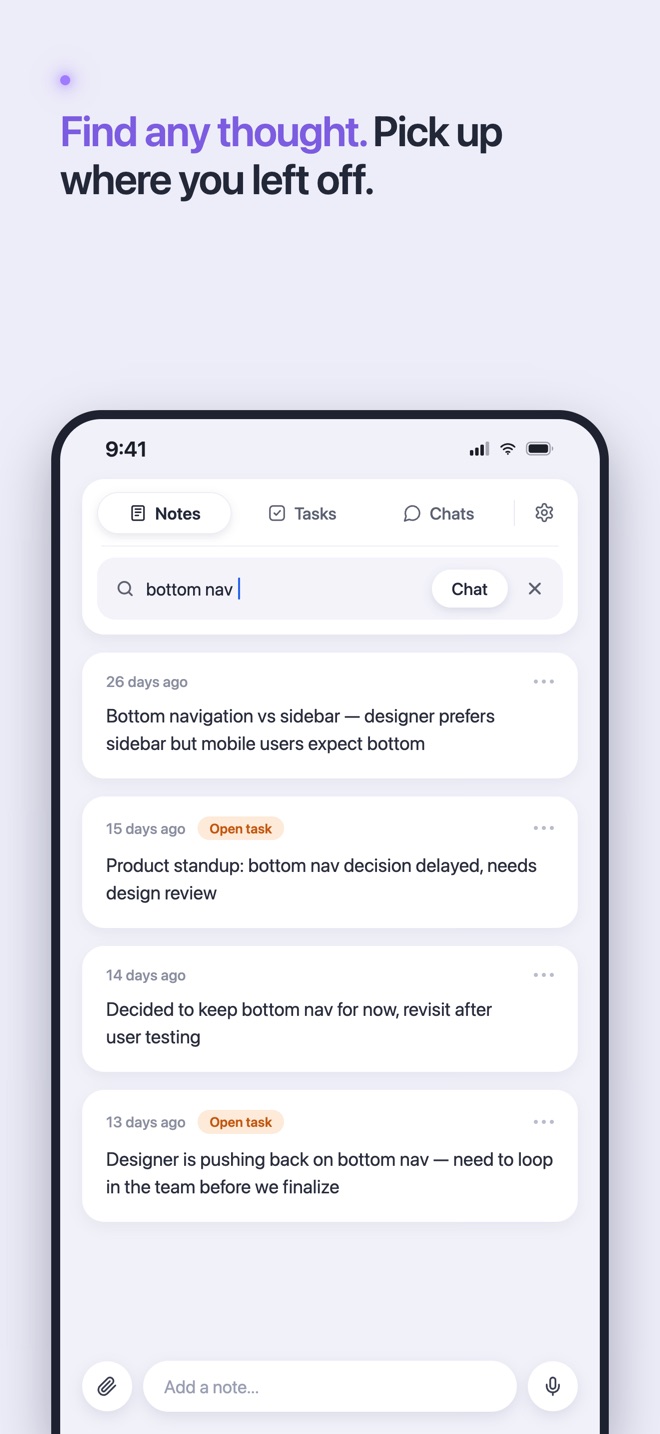
Find a remembered idea even when you no longer remember its exact words.